Why Winsly · Job search
LinkedIn Premium Career and Winsly: reach, or a record
Use LinkedIn for reach: recruiters, InMail and the biggest pool of listings. Use Winsly for a private record of your wins, the case for your next level, and applications where every line shows its source. Most people should use both.
At a glance
| LinkedIn Premium Career | Winsly | |
|---|---|---|
| Wins log | No: your profile is public | Yes, and private |
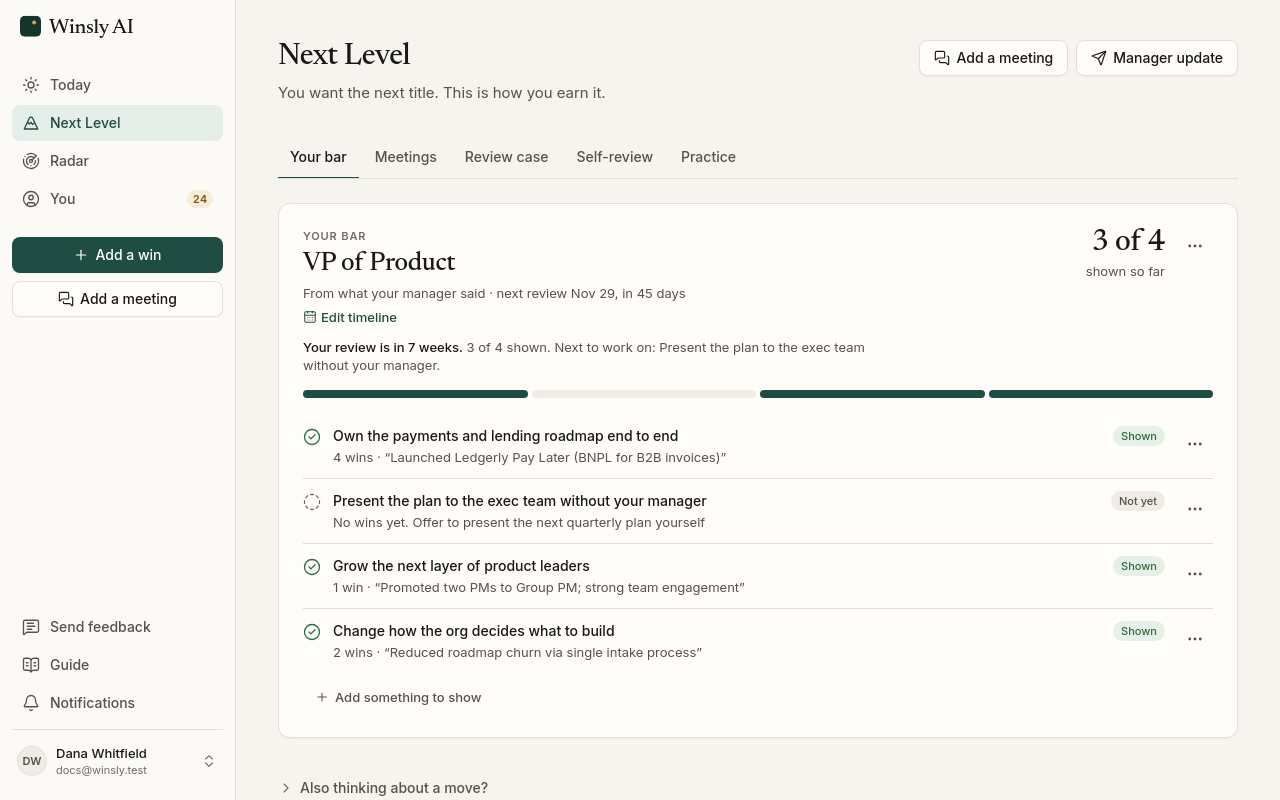
| The bar for your next level and a review case | No | Yes |
| Finding roles | AI search over LinkedIn’s listings | The job boards and career pages of companies you choose, scored daily |
| Fit scoring | AI insights on your fit for a job, and jobs where you’d be a top applicant | Fit labels, with up to three must-haves |
| Application help | Apply Assistant fills in forms and drafts letters; you approve each part (rolling out since June 2026) | A tailored resume and cover letter from your wins; you send |
| Every claim cited and checked against your record | No | Yes |
| Interview practice | AI coaching with LinkedIn Learning | Yes: rehearse your stories, scored |
| InMail and network reach | Yes | No |
| Private from your network | Partly: private browsing | Private by default |
What LinkedIn Premium does well
- The network itself: recruiter visibility, 5 InMail messages a month, and a profile recruiters already visit (LinkedIn).
- Premium’s AI insights on job posts show how well you fit, and it points out jobs where you’d be a top applicant, with AI coaching through LinkedIn Learning.
- Apply Assistant, rolling out to Premium members since June 2026, drafts applications for you to approve, including for jobs posted outside LinkedIn (Social Media Today).
Where Winsly is different
- A private record. Your wins are dated and kept in your own account, not on a profile your manager and colleagues can see.
- The bar in your manager’s words. A bar for the next level where you are, the wins that prove it, and a review case. LinkedIn has nothing for that moment.
- Every line shows its source. Application text is checked against your wins before you see it.
- Roles from the companies you choose, with must-haves, rather than a search across everything.
Who should choose which
- LinkedIn Premium for a short, networking-heavy search where recruiter reach matters most.
- Winsly for building a case over months, at your company or at the companies you’re targeting.
- Both: LinkedIn for reach, Winsly for the record. Take Winsly’s cited material into your LinkedIn applications, and use InMail for outreach.
Prices, checked October 13, 2026
| Product | Price | Source |
|---|---|---|
| LinkedIn Premium Career | Varies by account: $29.99–$39.99 a month reported (new subscribers often $39.99) | ConnectSafely Third-party report |
| LinkedIn Premium Career | $239.88 a year | Expandi Third-party report |
| Winsly | Free; Pro $20 a month or $200 a year; Advisor $50 a month or $500 a year | Pricing |
Prices and features change. See something out of date? Write to support@winsly.ai. Product names are trademarks of their owners.
Questions
How much is LinkedIn Premium Career?
LinkedIn shows the price only after you sign in, and it varies by account. Reports put it at $29.99 to $39.99 a month, or $239.88 a year, as of October 2026.
Is LinkedIn Premium worth it?
For a short search where recruiter reach and InMail matter, often yes. It doesn’t keep a record of your wins or help with the promotion where you are; Winsly does.
Can my colleagues see what I keep in Winsly?
No. Your wins, your bar and your search are private by default. Nothing in it is public unless you share it.