Guide · Get promoted
Your wins log
Capture what you did in seconds, from a note, a screenshot or a meeting, and let Winsly sort it, so the evidence is there at every review.
Most people do good work every day and lose almost all of the evidence. When a review, a promotion conversation or an application comes around, they rebuild their career from memory and hope it’s enough.
The wins log is the fix, and it’s the heart of Winsly.
Capture first, judge later
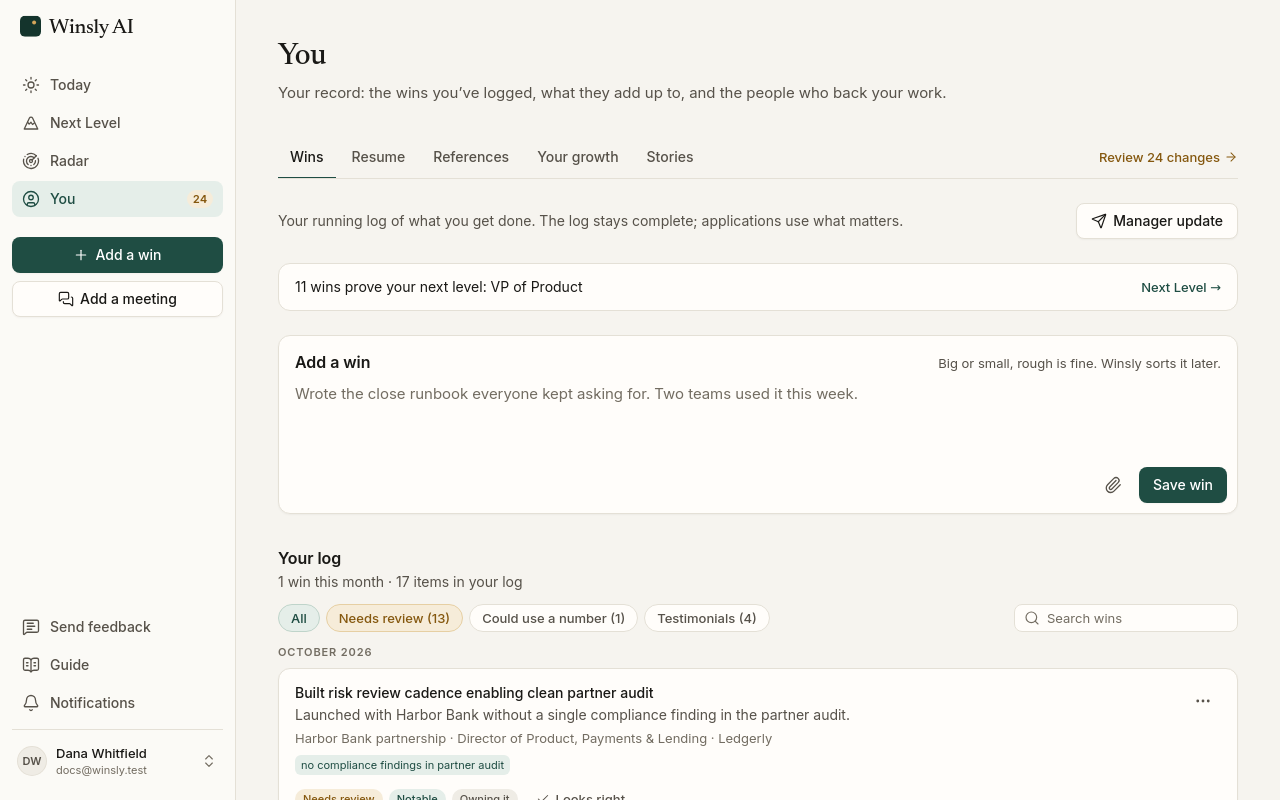
Add a win is the box on Today, ready as soon as you open Winsly, and it’s in You → Wins and the menu on every page too. Write a rough note: what happened is the only thing you need. When it happened, who it affected and a link or file as proof are all optional, tucked under More details for when you want them.
You can also add a win from Claude or ChatGPT while you work: “log that launch as a win.” See Use Winsly from Claude or ChatGPT.
Start from a screenshot
Praise in Slack, a thank-you email, a dashboard that finally moved: drop the screenshot on the box (or paste it, or attach it with the paperclip) and tap Draft a win from this. Winsly writes the win for you from what the screenshot shows: what happened, the number as it’s written, who said it, and the day, when it shows one. Check it, change anything, then save. The screenshot stays with the win as private proof unless you remove it.
Don’t decide whether something “counts” when you log it. One good month is noise; six months of steady improvement is evidence. Logging takes seconds, and sorting happens afterward.
Winsly sorts it for you
Every win saves straight to your log. Winsly then tags it:
- The kind of work: doing it, owning it, improving it, or changing how the company works.
- How much it matters: routine, notable or major.
It may ask one follow-up question to sharpen a win. You can change any tag by hand, and Winsly never overrides your call.
Routine wins stay in your log but out of your applications. Notable and major wins are the ones that back your applications, your resume and your review case.
Where your wins go to work
- Your Next Level bar. Wins link to each criterion your manager set, so you can see what’s proven and what’s missing. See Next Level and your review case.
- Applications. Every claim in a tailored resume or cover letter cites a win. See Applications.
Get a win verified
A win someone else stood behind is worth more than one you wrote, to your manager, to a promotion panel and to a hiring manager reading resumes that AI made easy to inflate. On any win, Get this verified asks someone who saw the work to say it’s right.
- Pick someone from References, or add their name, email and how they know your work (your manager, a peer, a stakeholder, a customer).
- See the exact email Winsly will send, with your note if you add one. Nothing goes until you press Send.
- They answer in a few seconds, without an account: That’s right, Close, but… (they fix the line or the number) or I can’t speak to this. They choose how their name shows.
The win then reads Verified by Priya N., peer, in your log, on your Next Level bar and in your review case. When their address is at the company the win was at, it says so: “Verified by Priya N., peer at Acme”. A fix comes back to you to accept or not, and one reminder goes after five days if they haven’t answered.
Winsly never sends anything you haven’t seen and sent yourself, and a request never mentions a job search. The same works for references: in You → References, Ask for a reference.
See your work getting bigger
On the Advisor plan, You → Your growth turns the tags into a picture: each quarter of the last two years, by kind of work. Are you just doing more things, or solving harder problems? Moving from doing the work, to owning it, to improving it, to changing how the company works? It names the first time your work reached each of those, and tells you plainly when the share of bigger work is rising.
Routine work isn’t in the picture. It’s the job done well, and it stays in your log.
Stories for your next interview
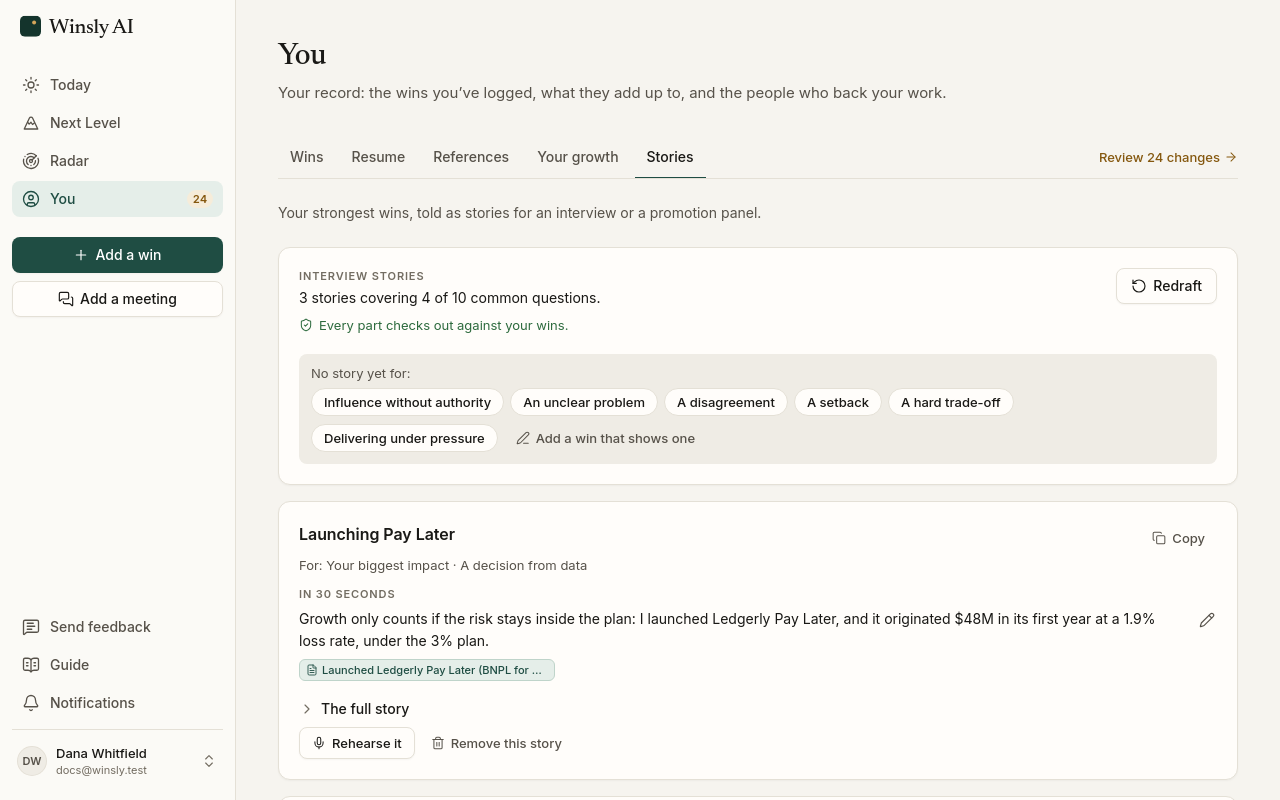
On Pro and Advisor, You → Stories turns your strongest wins into the stories you’d tell in an interview or a promotion panel: each opens with the lesson it proves, then the moment, what was at stake, and what you did and what changed, plus a 30-second version. Senior interviewers remember a story that starts with the point. Rehearse it (on the Advisor plan) has a hiring manager ask the question and dig in with “why?”, then shows how you did. Each part shows the win it comes from, so you never have to wonder whether a number is right.
Winsly also tells you which common questions none of your stories answers yet, like a disagreement you worked through. The fix isn’t a better story; it’s logging the win when it happens.
A weekly habit, made easy
On Fridays Winsly asks one question: anything move at work this week? A line or two is enough. Over a year, those lines become the record most people wish they’d kept.
About files
Bring your career evidence, not your employer’s confidential documents. When you attach proof to a win, Winsly’s AI sees the file’s name, never its contents, unless you tap Draft a win from this on an image: then it reads that image once, to write the draft you check. Images are resized and their location data removed before they leave your device. Proof only appears on a page if you choose to show it.