Guide · Grow your career
Your resume, written from your wins
One Core resume that stays current as you log wins, pitched at the position you’re going for, and versions tailored to any job you paste, yours to edit.
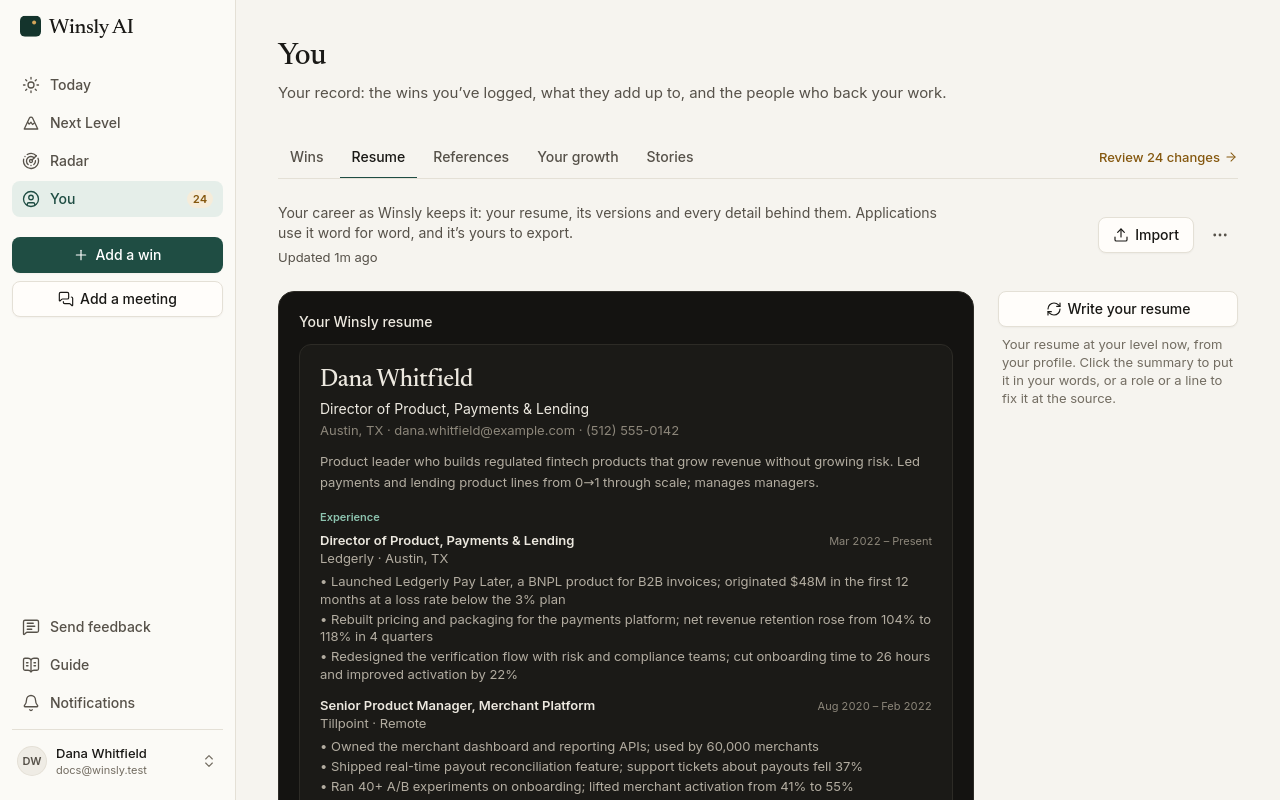
You → Resume keeps your Core resume. It's written from your wins and pitched at the position you're going for, or at your position now if you haven't set one. It stays current on its own: wins you log are added as Winsly sorts them, and it's rewritten when you set a new bar, reach a new position or add a role.
It reads like the level it's pitched at:
- Early in a career it leads with your skills and the tools you use.
- Mid-career it leads with outcomes you owned.
- Senior and lead roles add a line of scope under each company.
- Executive resumes open with an executive summary and drop the tools list; the terms hiring systems look for sit in the sentences.
A promotion reads as one story: back-to-back titles at the same company show as one entry, with the company, the title you started in and the one you got to, and the years, like "Arcline (San Francisco, CA) | Analyst → Head of BI (2013–2017)". The lines under it cover the whole run.
Write the summary in your own words.
Tailored to a job
To tailor your resume to a job, choose Tailor to a job beside the list and paste a link to the job post or its description. Winsly writes a version that leads with the wins showing what the job asks for, and uses the job's terms only where your work backs them. Above it, Winsly says what the job asks for that your record doesn't show yet, and which terms from the post this resume doesn't use yet. Each one you tailor is kept in the list under your Core resume, newest first.
A tailored resume is yours to change. Click a line to reword it, swap in another of your wins, move it up or down, or remove it. Add a line, under a job, brings in another win from your time there, with the ones that show what the job asks for first; its line starts in the win's own words, for you to reword. Changes stay on that resume: your Core resume, your wins and your other tailored resumes stay as they are.
Every line still cites a win, and a name you keep private can't be saved. If you use a number the win doesn't have, Winsly asks you to check it, and Edit the win is right there to add it. Your Core resume keeps itself current from your wins, so there a line opens its win instead.
Download it
To download a resume as a PDF, use the buttons in its top corner. You can also switch between Designed and Classic there, rewrite it from your profile, delete a tailored one, or choose Go back to Winsly’s lines to undo your changes to one.
How tailored resumes count
A tailored resume uses 11 credits when it’s written. Updating your Core resume as you add wins is included. See Plans.